
Install and review Settings
Unzip the installer and run setup. In the Settings tab, choose working folders and defaults such as fonts, colors, transitions, unique-song behavior, and image duration.
Quick setup
SlideShow Bob combines your selected photos and music, calculates the timing, and exports Final Cut Pro XML or EDL for a compatible video editor.
Five-part workflow
SlideShow Bob works with copies of file information in its own libraries. Your original image and audio files remain unchanged.
Unzip the installer and run setup. In the Settings tab, choose working folders and defaults such as fonts, colors, transitions, unique-song behavior, and image duration.
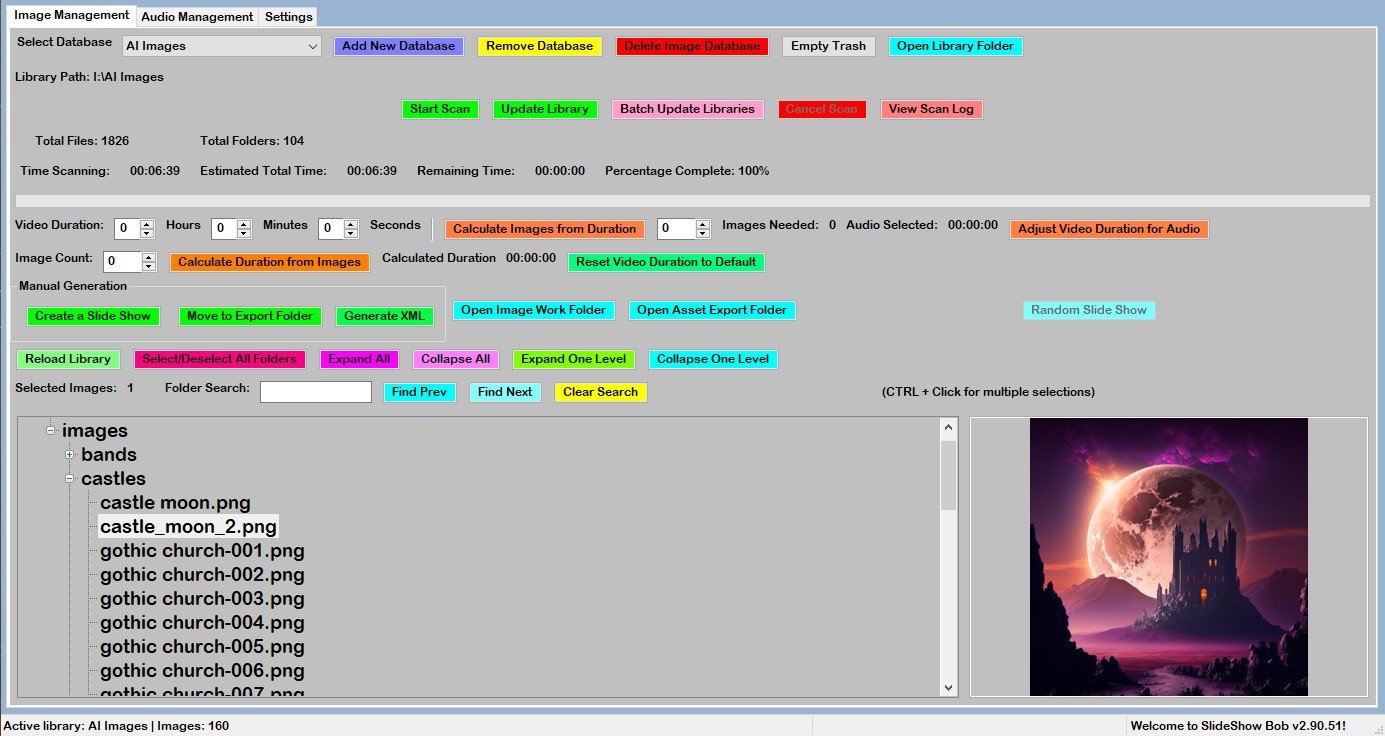
Open Image Management, choose Add New Database, select a folder, and start the scan. You can maintain multiple libraries for different collections or projects.
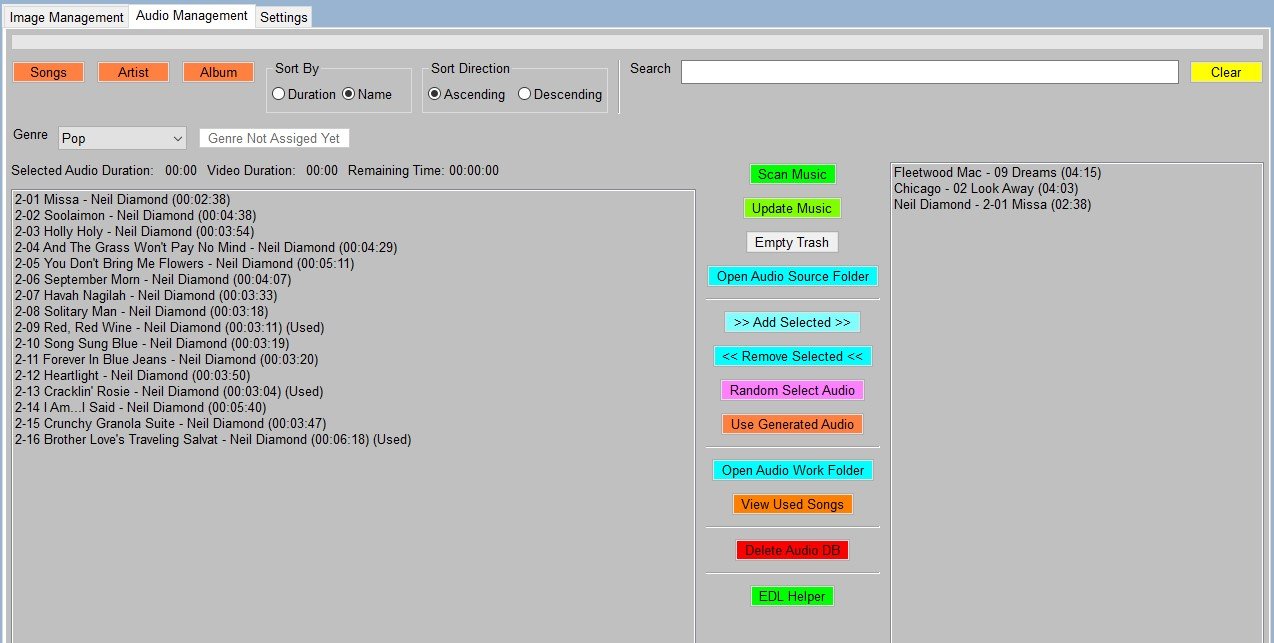
Open Audio Management to scan your music collection. Select songs yourself, filter by genre, or let SlideShow Bob make a random choice.
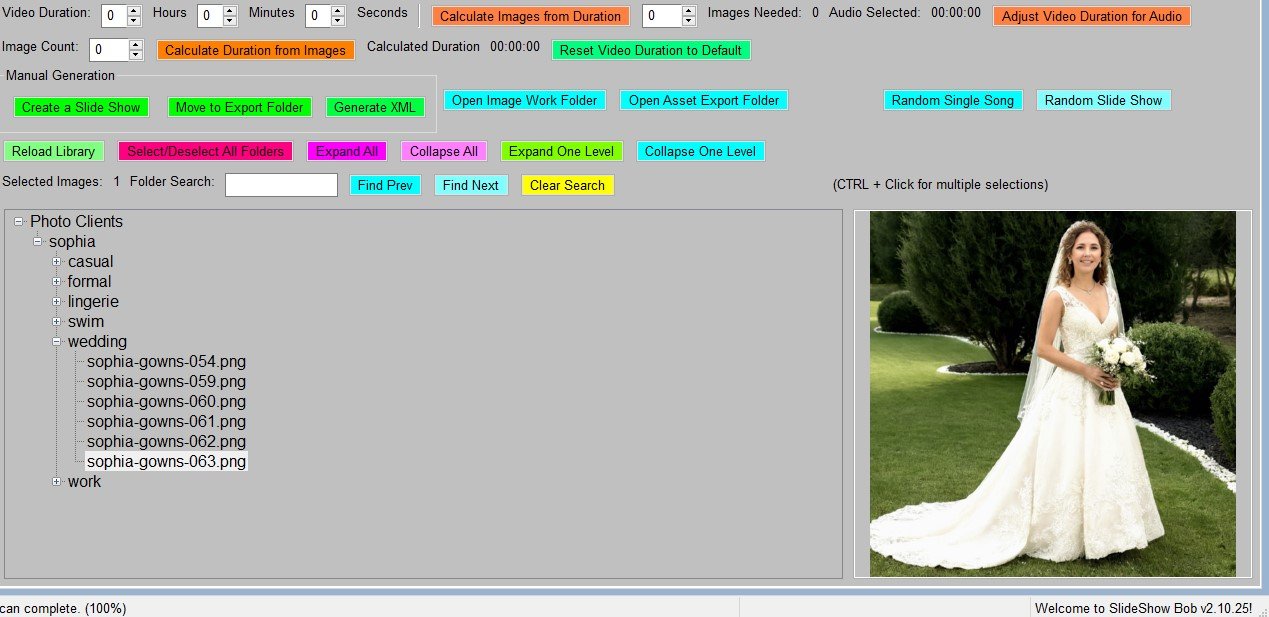
Select the image database and set you want to use, choose the intended video length, and review the manual or random-generation options before creating the timeline.
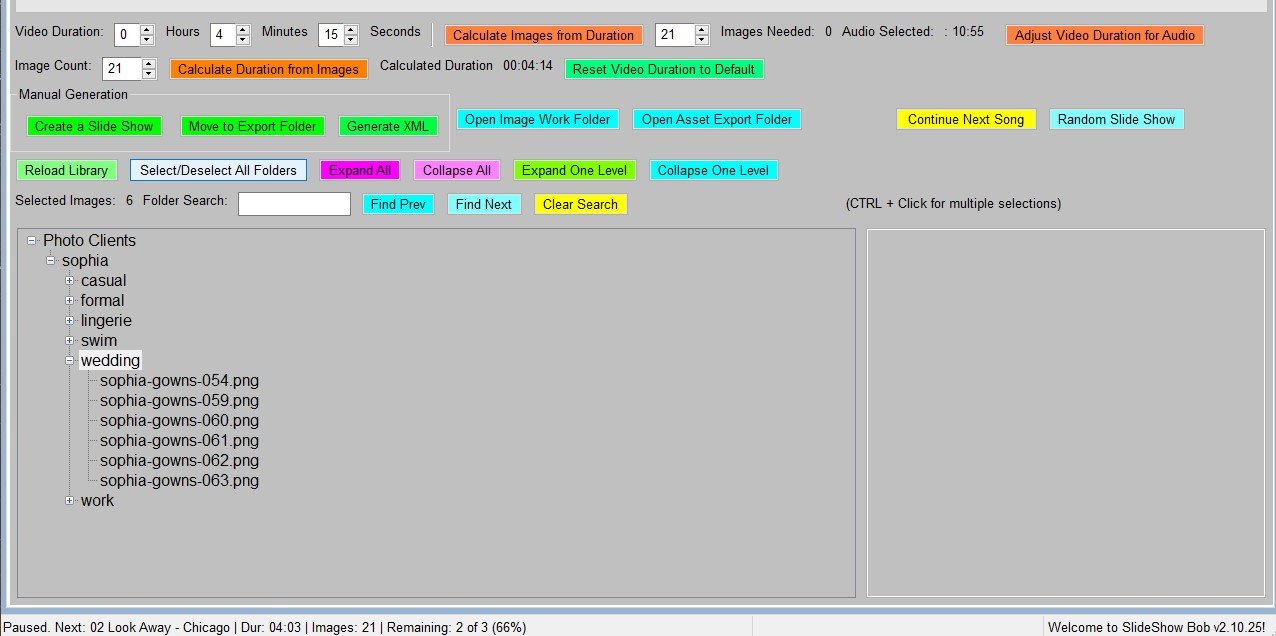
Generate a single-song slideshow or continue with another song for a longer project. Export Final Cut Pro XML or EDL, then open the result in DaVinci Resolve or another compatible editor.
Evaluation and licensed use
Use the evaluation to test your real workflow before purchasing a license.
Create, edit, preview, and export projects with every feature available.
Activate your purchased license to create production-ready output.
Download the Windows evaluation or keep the detailed user manual nearby while you get started.